


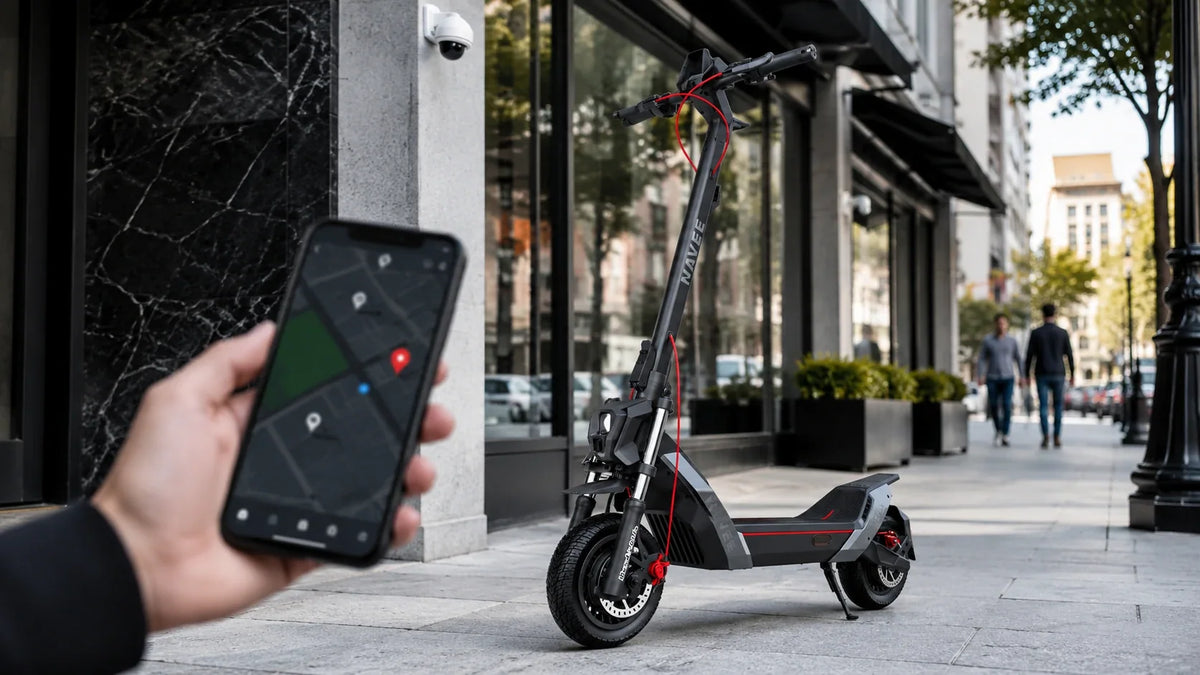
Muchos patinetes eléctricos ahora vienen con una aplicación para el teléfono, pero solo algunas funciones de la aplicación cambian la forma en que conduces. Los límites de velocidad ajustables, el bloqueo remoto y una lectura fiable de la batería se usan todos los días. Otras parecen bien en una hoja de especificaciones y quedan sin tocar después de la primera semana. Esta guía cubre las funciones de la aplicación por las que vale la pena pagar, el hardware que las hace útiles y tres patinetes que ponen esas funciones en práctica.
Por qué importa el control por aplicación
Qué hace el control por aplicación
Una aplicación para patinete se conecta a tu teléfono mediante Bluetooth y funciona como un segundo panel de control. Puedes comprobar la batería, cambiar los modos de conducción, bloquear el patinete y revisar los datos del viaje sin leer una pequeña pantalla en el manillar. Algunas aplicaciones también instalan actualizaciones de firmware (actualizaciones de software para el propio patinete) y te ayudan a encontrar el patinete si se pierde.
Una buena aplicación ahorra tiempo. Una mala añade un paso antes de cada viaje.
Quién se beneficia más
El control por aplicación ayuda más a tres grupos de usuarios:
- Personas que se desplazan a diario: Recorren la misma ruta todos los días, por lo que la planificación de la batería y la protección contra robos son importantes.
- Nuevos usuarios: Pueden empezar con un límite de velocidad bajo y aumentarlo a medida que se sientan cómodos.
- Usuarios compartidos: Los miembros de la familia pueden usar cada uno un límite de velocidad diferente en el mismo patinete.
Los usuarios ocasionales pueden abrir la aplicación solo unas pocas veces al año. Eso está bien, siempre y cuando el patinete se conduzca bien sin ella.

Funciones de la aplicación por las que vale la pena pagar
La siguiente tabla muestra qué funciones de la aplicación son más útiles y por qué.
Modos de velocidad
Los modos de velocidad son la función que la mayoría de los usuarios utiliza todos los días. Las mejores aplicaciones te permiten establecer tu propio límite de velocidad en lugar de elegir entre unos pocos ajustes preestablecidos fijos. Un límite personalizado ayuda en caminos compartidos, en carriles bici y en lugares donde las normas locales limitan las velocidades de los patinetes.
También comprueba cómo cada modo cambia la aceleración, no solo la velocidad máxima. Un arranque más lento es más fácil para los nuevos usuarios y consume menos batería.
Control de crucero
Sin control de crucero, mantienes presionado el acelerador durante todo el viaje, lo que resulta cansado en un trayecto de 30 minutos. Elige una versión que se active después de mantener una velocidad constante durante unos segundos y se apague tan pronto como toques el freno.
Bloqueo remoto y alertas
Un bloqueo por aplicación apaga el motor, por lo que un ladrón no puede simplemente llevarse el patinete conduciéndolo. Una alerta de movimiento te avisa si alguien lo mueve mientras está estacionado. Algunas aplicaciones también desbloquean el patinete automáticamente cuando tu teléfono se acerca, lo que ahorra un paso en cada arranque.
Los patinetes que funcionan con la red Buscar de Apple también muestran su última ubicación conocida en la aplicación Buscar de tu iPhone. Usa estas funciones junto con un candado físico resistente, ya que ninguna aplicación puede impedir que alguien se lleve el patinete.
Seguimiento de batería y autonomía
Un porcentaje de batería te dice cuánta carga queda. Una autonomía restante estimada es más útil, porque te dice hasta dónde te llevará esa carga.
Trata la autonomía anunciada como una cifra en el mejor de los casos. Los fabricantes la miden a velocidades lentas y constantes, y la autonomía cae rápidamente a medida que aumenta la velocidad. El NAVEE UT5 Max, por ejemplo, tiene una autonomía de 62,1 millas a 9,3 mph, pero de 40,4 millas a 15,5 mph. Las colinas, los usuarios más pesados y el clima frío reducen aún más la autonomía.
Estadísticas de conducción
El historial de viajes y los registros de distancia son agradables si te gusta ver tus totales, pero no cambian lo bien que funciona el patinete. No pagues extra por ellos.
Hardware que admite funciones inteligentes
Una aplicación no puede compensar un hardware débil. Comprueba primero estos aspectos básicos.
Potencia del motor
Los listados de patinetes suelen mostrar dos números de motor. La potencia nominal es lo que el motor puede mantener, y la potencia máxima es una ráfaga corta utilizada para acelerar y subir. Compara ambos, y también comprueba la máxima pendiente de subida. Una pendiente del 28%, por ejemplo, significa que la carretera sube 28 pies por cada 100 pies recorridos. Las colinas reales con un usuario a bordo suelen ser menos indulgentes que la cifra de prueba.
Capacidad de la batería
El tamaño de la batería se mide en vatios-hora (Wh). Más Wh generalmente significa más autonomía, pero también añade peso y tiempo de carga. Una batería que a menudo se agota hasta cero tiende a desgastarse antes, por lo que una autonomía anunciada muy por encima de tu distancia diaria protege la batería además de tu trayecto.
Frenos y seguridad
Busca dos frenos separados en cualquier patinete que vaya más rápido que alrededor de 15 mph. Muchos patinetes combinan un freno de disco o tambor con EABS, un sistema electrónico antibloqueo que ayuda a prevenir el bloqueo de las ruedas en pavimento mojado o resbaladizo. Las luces brillantes, los reflectores y un sistema de control de tracción (TCS), que reduce el deslizamiento de las ruedas, añaden a eso.
También ayuda confirmar que el sistema eléctrico ha sido probado según un estándar de seguridad reconocido. En EE. UU., UL 2272 es el estándar más utilizado para la seguridad eléctrica de los patinetes eléctricos. Cubre la batería, el cargador y el cableado que alimenta el patinete. No prueba lo bien que se conduce el patinete o cuánto dura.
Peso y portabilidad
Si llevas tu patinete por escaleras, a un tren o a una oficina, el peso importa tanto como la autonomía. Patinetes eléctricos ligeros para desplazamientos urbanos son más fáciles de llevar y aún manejan bien los viajes diarios. También comprueba el tamaño plegado, ya que un plegado compacto hace que el almacenamiento bajo el escritorio sea más fácil.

Conectividad y software
Estabilidad de Bluetooth
La aplicación solo funciona bien si la conexión Bluetooth es estable. Las reseñas de los propietarios son el mejor lugar para comprobar esto. Varios informes de conexiones perdidas o emparejamientos lentos son una señal de advertencia. También es una buena señal si el patinete se conduce normalmente con la aplicación cerrada.
Actualizaciones de firmware
Las actualizaciones de firmware pueden solucionar errores, mejorar la gestión de la batería y añadir funciones después de comprar. Una marca que lanza actualizaciones regularmente es una mejor opción a largo plazo que una que no, así que mira el historial de actualizaciones de la aplicación.
Calificaciones de la aplicación y privacidad
Antes de comprar, busca la aplicación del patinete en la App Store o Google Play y comprueba tres cosas:
- Reseñas recientes: Busca quejas sobre fallos, emparejamientos lentos o funciones faltantes.
- Permisos: El acceso a la ubicación tiene sentido para el seguimiento. El acceso a tus contactos o fotos no.
- Política de privacidad: Comprueba qué datos de conducción recopila la marca y cuánto tiempo los conserva.
Funciones que puedes saltarte
Personalización de utilería
Los colores de luz personalizados y los sonidos de arranque pueden ser divertidos, pero no justifican un precio más alto. Si vienen gratis, disfrútalos. Si cuestan extra, pon ese dinero en una batería más grande o mejores frenos.
Herramientas sociales y gamificadas
Las tablas de clasificación, las insignias y las comunidades de viajes compartidos no te ayudan a llegar al trabajo. Una aplicación que promociona mucho estas funciones puede preocuparse más por mantenerte en la aplicación que por ser útil.
Mejores patinetes eléctricos con control por aplicación
Mejor en general
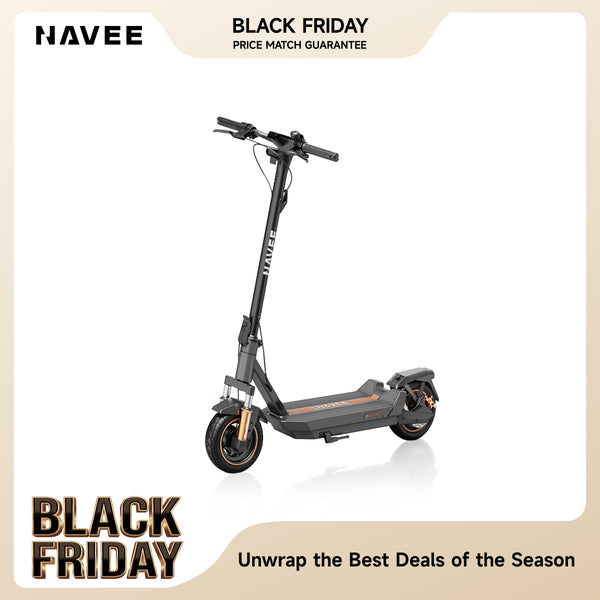
Ningún patinete es el mejor para todos, así que la tabla compara tres modelos NAVEE en las especificaciones que más importan para la conducción conectada por aplicación. El GT5 Max equilibra la autonomía y el frenado, el UT5 Max ofrece la mayor autonomía y potencia, y el G5 Max tiene el precio más bajo y el peso más bajo. Los precios cambian a menudo durante las ofertas, así que comprueba cada página de producto para el precio actual.
IPX5 cubre chorros de agua y salpicaduras de carretera, e IPX6 cubre chorros más fuertes, por lo que ninguno está destinado a charcos profundos.
Mejor para desplazamientos diarios
Para un patinete inteligente para desplazamientos urbanos con control por aplicación, el NAVEE GT5 Max te da la aplicación, el seguimiento de Apple Find My y el TCS en un solo paquete. Su batería de 596,7 Wh tiene una autonomía nominal de 55,9 millas a 9,3 mph y se carga en 5 a 6 horas. En conducción mixta por la ciudad, espera algo más cercano a 30 a 45 millas, que aún cubre un viaje de ida y vuelta de 10 a 20 millas por dos o tres días.
El frenado combina un freno de tambor delantero, un freno de disco trasero y EABS. La doble suspensión y los neumáticos sin cámara de 10 pulgadas suavizan las calles agrietadas, y la máxima pendiente de subida del 28% maneja colinas moderadas. La carga máxima es de 286 lbs. Se pliega a 580 mm de alto, pero con alrededor de 55 lbs es mejor para vuelos cortos de escaleras que para cargas largas.
Mejor opción económica
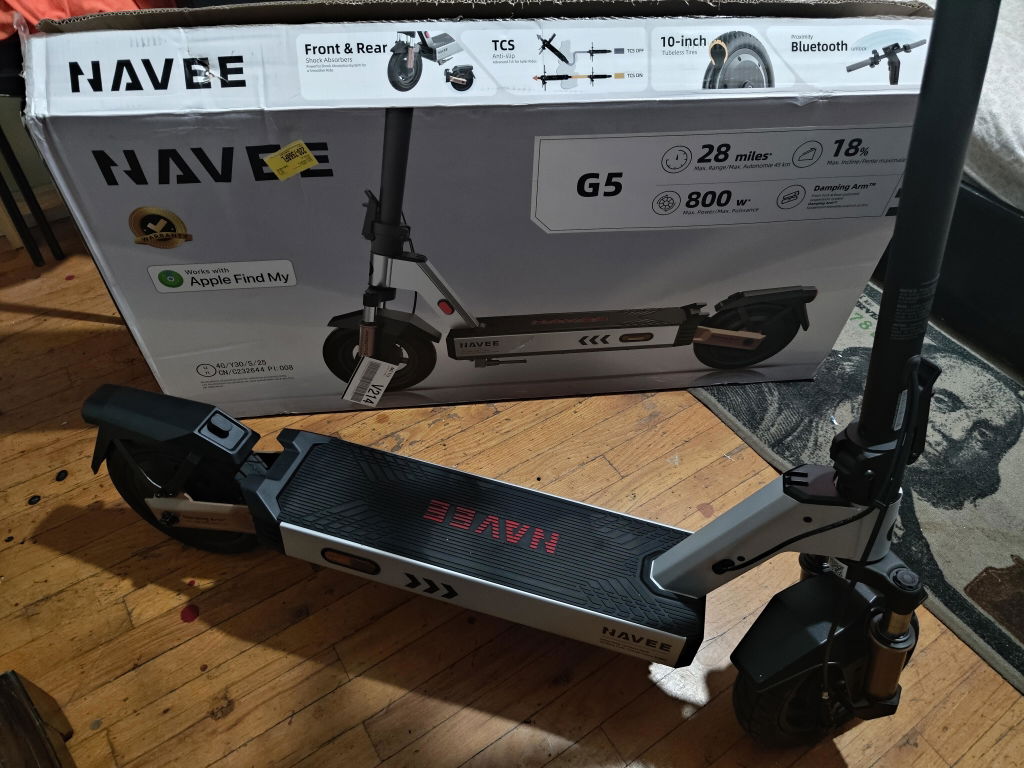
El NAVEE G5 Max es el patinete de menor precio en este grupo y aún incluye la aplicación, Apple Find My y TCS. Su batería de 477 Wh tiene una autonomía nominal de 43,5 millas a 9 mph. El motor de pico de 1000 W alcanza 20 mph y maneja una máxima pendiente del 24%. Con 49,8 lbs netas, es el más ligero de los tres, y las luces direccionales del manillar añaden visibilidad en el tráfico.
Las compensaciones son una carga de 8 horas, una carga máxima de 265 lb, y un sistema de frenos más simple de un freno de tambor delantero más EABS trasero, sin freno de disco. Para desplazamientos planos y carriles bici a 20 mph, eso suele ser suficiente.
Mejor para larga autonomía
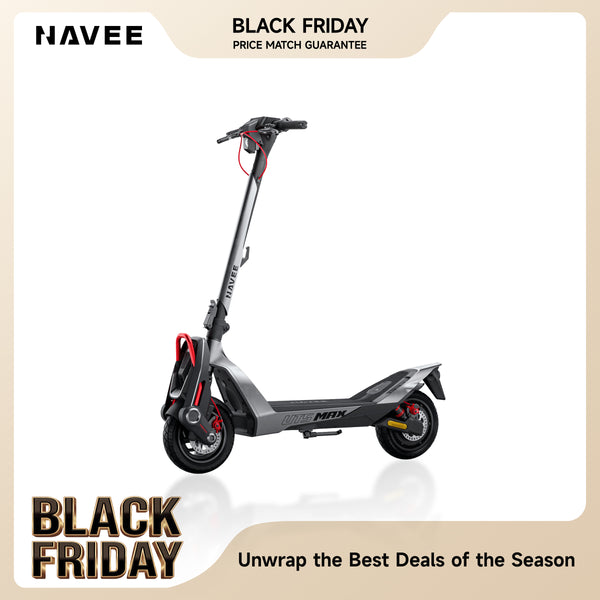
Para rutas largas o menos días de carga, un patinete eléctrico de larga autonomía como el NAVEE UT5 Max te da el mayor espacio. Su batería de 716 Wh tiene una autonomía nominal de 62,1 millas a 9,3 mph y 40,4 millas a 15,5 mph. Una carga completa toma 7 horas, o alrededor de 2 horas con la opción Flash Charge.
La aplicación añade Desbloqueo automático al acercarte, y una pantalla de 3,5 pulgadas muestra la velocidad, el nivel de batería y el modo de conducción. Apple Find My y TCS están incluidos. El motor de pico de 2400 W sube una pendiente del 39% y alcanza 31 mph, así que comprueba las normas de velocidad locales antes de conducir a plena potencia. Los frenos de disco delanteros y traseros con EABS, la doble suspensión hidráulica con amortiguación ajustable, y los neumáticos sin cámara de 12 pulgadas con autorreparación completan la configuración. La compensación es el peso. Con 75 lbs netas, está construido para viajes de puerta a puerta, no para llevar por escaleras.

¿Cómo elegir el patinete correcto?
Combina con tu ruta diaria
Empieza con tu ruta real y responde estas preguntas:
- ¿Qué distancia es tu viaje de ida y vuelta?
- ¿Hay colinas empinadas o carreteras ásperas?
- ¿Llevarás el patinete por escaleras o transporte público?
Un desplazamiento corto y plano no necesita un patinete potente. Una ruta con colinas y pavimento áspero necesita un motor y suspensión más fuertes. El transporte frecuente hace que el peso neto sea una prioridad principal.
Establece un presupuesto realista
Los precios de los patinetes varían ampliamente, y las ofertas los cambian a menudo. Puedes comparar patinetes eléctricos a diferentes puntos de precio para ver qué añade cada nivel, como una batería más grande, frenos de disco, o una clasificación de impermeabilidad más alta. Juzga el paquete completo, no solo la aplicación.
Compara la garantía y el soporte
Una garantía más larga y un soporte rápido al cliente pueden ahorrarte dinero más tarde. Los tres patinetes de arriba enumeran una garantía limitada de 24 meses en la mayoría de las piezas, incluyendo el motor, el buje, y el marco. Comprueba qué está cubierto y por cuánto tiempo en cualquier patinete que consideres. También planifica para costos de mantenimiento del patinete, ya que los neumáticos, frenos, y suspensión se desgastan más rápido en modelos de mayor rendimiento.
Preguntas frecuentes
¿Los patinetes eléctricos con control por aplicación cuestan más?
No siempre. La conectividad por aplicación ahora viene en patinetes de muchos niveles de precio, incluyendo modelos de entrada. Las diferencias de precio más grandes generalmente vienen del tamaño de la batería, la potencia del motor, y la suspensión.
¿Puedo usar un patinete sin la aplicación?
En la mayoría de los casos, sí. Los controles principales están en el manillar, por lo que muchos patinetes se conducen normalmente sin la aplicación. Funciones como límites de velocidad personalizados, bloqueo remoto, y actualizaciones de firmware generalmente lo necesitan, así que comprueba lo que un modelo específico requiere.
¿Qué funciones de la aplicación previenen el robo?
El bloqueo remoto, alertas de movimiento, bloqueo automático, y seguimiento de ubicación ayudan más. Hacen que el patinete sea más difícil de llevarse conduciéndolo y más fácil de encontrar, pero un candado físico resistente todavía es necesario.
¿Las actualizaciones de la aplicación mejoran el rendimiento?
A menudo, sí. Las actualizaciones pueden corregir errores, hacer que la lectura de la batería sea más precisa y, a veces, añadir nuevos ajustes. Mantener tanto la aplicación como el firmware del patinete actualizados es una forma sencilla de sacar más partido a tu patinete.
Compartir:
Mantenimiento de patinetes eléctricos: urbanos vs. de alto rendimiento
Electric Scooters for Camping: Packing, Terrain, and Trail Rules