


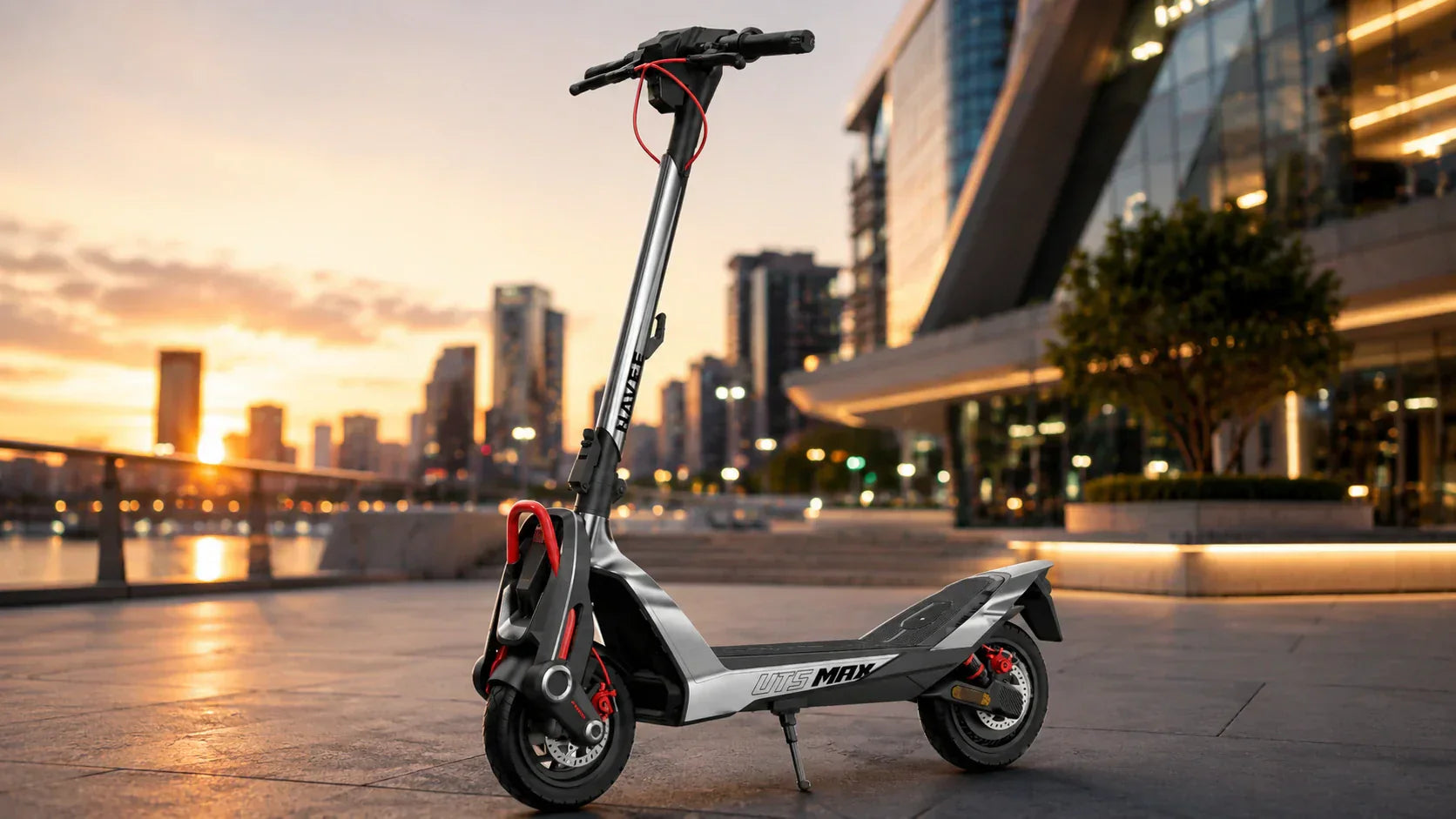
Sí. Muchos patinetes eléctricos conectados nuevos tienen cerraduras electrónicas integradas y seguimiento de ubicación, y muchos modelos de alta gama también cuentan con cerraduras inteligentes con funciones como alarmas, reconocimiento de huellas dactilares o control mediante aplicación.
Sin embargo, una cerradura inteligente no debe considerarse un sistema completo de prevención de robos. Una cerradura electrónica puede dificultar el arranque o la conducción del patinete, pero no lo sujeta físicamente a nada. La mejor solución es combinar la cerradura electrónica integrada del patinete con una cerradura física de calidad.
Esta guía explica los principales tipos de cerraduras inteligentes para patinetes eléctricos, cómo funcionan, qué pueden y no pueden prevenir, y cómo asegurar correctamente su patinete.
¿Qué es una cerradura inteligente para patinete eléctrico y cómo funciona?
Una cerradura inteligente para un patinete eléctrico es un sistema de seguridad sin llave que sustituye las llaves físicas tradicionales por tecnología digital como Bluetooth, NFC, GPS o redes móviles. Gestionidos normalmente mediante una aplicación móvil complementaria, estos sistemas permiten asegurar, supervisar y desbloquear el patinete de forma inalámbrica.
En lugar de girar una llave física, el sistema se basa en un protocolo digital cifrado. Cuando se solicita una acción mediante el teléfono, una tarjeta NFC o un sensor de proximidad, se envía una señal segura directamente a la unidad de control electrónico (ECU) interna del patinete.
Una vez verificada, la ECU inmoviliza instantáneamente el patinete cortando la alimentación del sistema de transmisión, activando un bloqueo electrónico del motor o desactivando el acelerador. Simultáneamente, los sensores integrados detectan cualquier movimiento no autorizado y mantienen abiertas las líneas de comunicación con el teléfono para informar de actividad sospechosa en tiempo real.

¿Qué tipos de cerraduras inteligentes hay disponibles para patinetes eléctricos?
Bloqueos de motor controlados por aplicación
Muchos patinetes eléctricos conectados a una aplicación incluyen un bloqueo electrónico del motor integrado.
Cuando se activa mediante la aplicación complementaria del patinete, el sistema puede desactivar el acelerador, restringir los controles del panel de instrumentos, añadir resistencia al movimiento de las ruedas o activar una alarma cuando alguien empuja el patinete. El comportamiento exacto depende del modelo.
En los modelos NAVEE compatibles, al activar el bloqueo en la aplicación NAVEE, el patinete entra en estado de bloqueo del motor. Si alguien empuja el patinete bloqueado, el panel de instrumentos puede emitir una alarma y los controles mediante botones del patinete quedan inutilizables.
Esto puede disuadir a alguien de llevarse el patinete inmediatamente. No impide que un ladrón lo levante o lo cargue en un vehículo.
Desbloqueo mediante Bluetooth y proximidad
Los sistemas de proximidad Bluetooth pueden reconocer un smartphone autorizado cuando el usuario se acerca.
En lugar de abrir una aplicación y pulsar un botón de desbloqueo, el patinete puede desbloquearse automáticamente cuando el teléfono emparejado entra en el alcance. Puede volver a bloquearse cuando el usuario se aleja.
Algunos patinetes NAVEE admiten FlyLock Tech, que utiliza la aplicación NAVEE para desbloquear el patinete automáticamente cuando el usuario se acerca.
El desbloqueo mediante Bluetooth es cómodo, pero los usuarios deben comprobar si el modelo ofrece un método de respaldo en caso de que el teléfono se pierda, se quede sin batería o no pueda conectarse.
Tarjetas NFC y desbloqueo mediante código
Algunos patinetes eléctricos admiten tarjetas NFC, llaveros o códigos de acceso en la pantalla.
Un sistema NFC permite al usuario acercar una tarjeta o dispositivo autorizado a un lector. Un sistema de código permite al usuario introducir un PIN mediante la pantalla o los controles del patinete.
Estos métodos pueden ser útiles cuando no se dispone de un smartphone. Sin embargo, la compatibilidad varía según el modelo, y no todos los patinetes conectados a una aplicación incluyen NFC o un PIN de respaldo.
Alarmas de movimiento y alertas telefónicas
Una alarma de movimiento detecta el movimiento, las vibraciones o los cambios de posición del patinete.
Cuando se activa, puede emitir una advertencia sonora. Algunos sistemas de alarma conectados también pueden enviar una notificación al teléfono del usuario.
Una alarma puede atraer la atención y disuadir un intento de robo oportunista. Es menos eficaz en zonas ruidosas o concurridas, y no impide físicamente que se mueva el patinete.
La sensibilidad de la alarma también puede requerir ajustes. Una configuración demasiado sensible puede activarse por el viento, un contacto accidental o transeúntes cercanos.
Cerraduras físicas inteligentes
Las cerraduras físicas inteligentes combinan un mecanismo de cierre metálico con funciones de acceso electrónico.
Algunos ejemplos son:
-
Candados en U con reconocimiento de huellas dactilares
-
Cadenas Bluetooth
-
Candados de cable controlados por aplicación
-
Candados de disco con alarma
-
Candados plegables sin llave
Estas cerraduras proporcionan sujeción física y, además, la comodidad de no necesitar llaves. Su seguridad sigue dependiendo del material de la cerradura, el grosor del arco, el mecanismo de cierre y de cómo se sujeta el patinete. Si es necesario, puede elegir comprar la configuración que desee.
Un candado de cable débil no se convierte en un sistema de alta seguridad por el hecho de incluir Bluetooth o un lector de huellas dactilares.
Cerradura inteligente frente a cerradura física para patinetes eléctricos
Las cerraduras electrónicas y físicas tienen funciones distintas. Una no debe sustituir automáticamente a la otra.
| Característica | Cerradura inteligente (digital/electrónica) | Cerradura física tradicional (candado en U/cadena) |
|---|---|---|
| Mecanismo principal | Bloqueo electrónico del motor, apagado del firmware | Acero endurecido, anclaje físico |
| Comodidad | Alta (sin llave, seguimiento automático) | Moderada (debe llevarla y cerrarla manualmente) |
| Disuasión de robos | Alta contra personas que se lo llevan para dar un paseo; baja contra el robo con elevación | Alta contra la retirada física |
| Seguimiento y alertas | Sí (notificaciones en tiempo real y GPS) | No |
| Vulnerabilidad | Descarga de la batería, fallos del software, hackeo | Amoladoras angulares, cortacadenas |
Una cerradura electrónica integrada ayuda a evitar el uso no autorizado. Una cerradura física impide que el patinete se mueva libremente cuando está asegurado a un objeto fijo adecuado.
Para la mayoría de los usuarios, la mejor opción es utilizar ambas.
¿Cómo debe asegurar su patinete eléctrico?
Para garantizar que su patinete se quede exactamente donde lo ha dejado, aplique siempre el principio de doble bloqueo:
Combine siempre la cerradura inteligente digital del patinete (para inmovilizar el motor y activar la alarma de movimiento) con una cerradura física de alta resistencia (como un candado en U o una cadena robusta) para anclar firmemente el chasis a una estructura inamovible, como un aparcamiento para bicicletas. Si desea conocer más sobre las mejores estrategias y ubicaciones de bloqueo, consulte esta guía completa guía sobre cómo asegurar un patinete eléctrico.

¿Qué funciones de seguridad inteligente ofrecen los patinetes NAVEE?
Las funciones de seguridad varían en toda la gama de productos NAVEE, por lo que los usuarios deben comprobar las especificaciones de cada modelo.
Dependiendo del modelo, las funciones disponibles pueden incluir:
-
Un bloqueo electrónico del motor controlado por aplicación
-
Una alarma cuando se empuja el patinete bloqueado
-
Desbloqueo por proximidad FlyLock Tech
-
Compatibilidad con Apple Buscar
-
Un punto de anclaje físico en el chasis
-
Conectividad con la aplicación NAVEE
Por ejemplo, el NAVEE UT5 admite FlyLock Tech, Apple Buscar, la aplicación NAVEE y un punto de anclaje de seguridad en el chasis.
Estas funciones ofrecen varios niveles de comodidad, disuasión y asistencia de ubicación. Sin embargo, ninguna elimina la necesidad de una cerradura física adecuada cuando el patinete se aparca en una zona pública.
Problemas habituales de las cerraduras inteligentes para patinetes eléctricos
Aunque las cerraduras inteligentes ofrecen una comodidad increíble, no están exentas de algún contratiempo ocasional:
-
Pérdida de conectividad: Las interferencias Bluetooth en entornos urbanos concurridos pueden retrasar a veces el desbloqueo.
-
Dependencia de la batería: Si el smartphone se queda sin batería o si la batería del patinete se agota por completo hasta el 0 %, acceder a la cerradura electrónica o desactivarla puede resultar complicado.
-
Falsas alarmas: Los sensores de movimiento muy sensibles pueden activarse por una fuerte racha de viento o porque alguien aparque su bicicleta junto a la suya.
-
Errores de la aplicación: Las actualizaciones de software ocasionales pueden causar fallos temporales en la capacidad de respuesta de la aplicación.
Reflexión final
Las cerraduras inteligentes han transformado por completo la experiencia de tener un patinete eléctrico, sustituyendo la molestia de llevar llaves físicas por un seguimiento fluido y la comodidad de no necesitarlas. Sin embargo, la tecnología funciona mejor cuando está respaldada por la fuerza bruta. Al combinar funciones inteligentes modernas, como las que ofrecen algunos modelos NAVEE, con una cerradura física sólida, se crea una defensa impenetrable que hará que cualquier ladrón lo piense dos veces.
Preguntas frecuentes
¿El seguro cubre un patinete eléctrico robado?
La cobertura varía según la aseguradora y la póliza. Algunas pólizas de vivienda o de inquilino pueden ofrecer una cobertura limitada de bienes personales, mientras que otras excluyen los vehículos motorizados.
Compruebe las exclusiones de vehículos a motor de la póliza, los límites de robo fuera del domicilio, la franquicia y las condiciones de valor de reposición. Puede que se requiera una póliza específica para patinetes o vehículos de movilidad personal.
¿Debo registrar mi patinete eléctrico?
Los requisitos de registro dependen del estado, la ciudad, el campus o la propiedad donde se utilice el patinete.
Aunque no se exija el registro, guarde el número de serie del patinete, el modelo, el recibo de compra y fotos nítidas. Esta información puede ayudar a demostrar la propiedad al presentar una denuncia policial o una reclamación al seguro.
¿Funcionan las cerraduras inteligentes con lluvia o temperaturas bajo cero?
Depende de la cerradura y del patinete.
La clasificación IP indica la resistencia al agua o al polvo en condiciones de prueba definidas. No confirma que el dispositivo funcione de forma fiable a temperaturas bajo cero.
Compruebe los límites de temperatura de funcionamiento y almacenamiento del fabricante. El frío también puede reducir el rendimiento de la batería y acortar el tiempo durante el cual las funciones de seguridad conectadas permanecen activas.
¿Puede alguien hackear una aplicación o una cerradura inteligente Bluetooth?
Las cerraduras basadas en aplicaciones y Bluetooth pueden presentar riesgos de seguridad digital, aunque la retirada física sigue siendo una importante preocupación en materia de robos.
Mantenga actualizada la aplicación del patinete y el firmware. Utilice una contraseña única, proteja el teléfono conectado con un bloqueo de pantalla y active la autenticación de dos factores cuando el servicio lo permita.
Más información:¿Por qué se enciende mi patinete eléctrico pero no se mueve? Solución de problemas y soluciones
Compartir:
Guía de compra de patinetes eléctricos de pie: ¿Por qué son mejores para moverse por la ciudad?
Mejor carrito de golf eléctrico 2026: duración de la batería, características y prueba en campo