


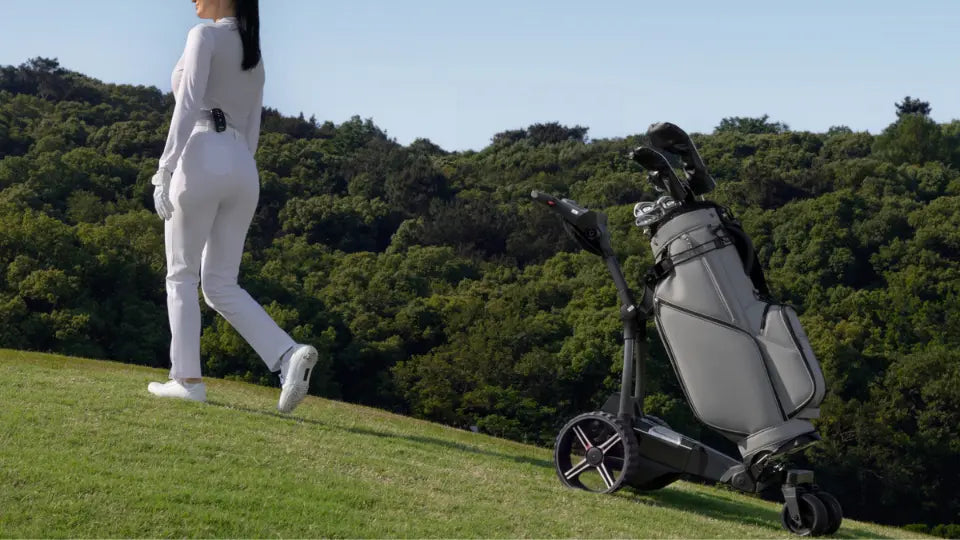
Tournament mornings involve check-in, warm-up, and getting to the first tee on time. An electric golf push cart handles bag transport while you walk, but choosing one for competition starts with event permission, sufficient battery range, and controls you can use confidently.
When comparing electric golf push carts, focus on how each model fits your tournament schedule, course conditions, and travel routine. Useful features should make the day easier without adding unnecessary steps between shots.
Check Tournament Rules
Confirm Electric Push Carts Are Allowed
Review the tournament’s player information and the host course’s policies before buying specifically for competition. When permission is unclear, ask the tournament committee about a battery-powered cart that carries your bag while you walk.
Be specific. “Electric golf cart” can describe a riding vehicle or a motorized bag cart, and restrictions on those uses may differ.
Under the official Model Local Rules, G-6 addresses players and caddies riding on motorized transportation. A walking requirement under that rule does not, by itself, establish a blanket ban on electric bag carts. Separate tournament or course policies may still apply.

Check Restrictions on Electronic Features
Consider movement controls separately from connected functions. Remote steering and auto-follow transport your bag; apps or accessories may provide distance information or other features subject to additional restrictions.
For example, a committee can adopt Model Local Rule G-5 to prohibit electronic distance-measuring devices. Describe the functions you plan to use when requesting clarification, rather than asking whether the cart is generally “tournament approved.”
Choose Enough Battery Range
Plan for 18 or 36 Holes
Choose battery capacity around your longest expected playing day, including travel to practice facilities and between holes. For a 36-hole event, do not assume a short break will provide enough time to recharge.
Before buying, check:
- The battery included with the selected model.
- The conditions behind its rated range.
- Charging time and charger requirements.
- Battery removal and replacement options.
A rating of up to 36 holes is a planning reference, not a guarantee for every course. Confirm the exact battery configuration and leave enough reserve for your expected route.
Allow for Hills and Course Conditions
Elevation changes, soft turf, long walks between holes, and bag weight can affect battery use. Hole count alone does not capture those demands.
Complete a practice round on comparable terrain with your usual clubs, water, rain gear, and accessories. Check the remaining charge afterward to assess whether the battery provides a comfortable margin for your tournament schedule.

Assess Control and Stability
Remote Control vs. Auto-Follow
Remote control lets you steer with a handheld controller. Auto-follow adds automatic tracking while you walk.
Compare remote control vs. follow-me golf carts against the courses you play. Open walking routes present different demands from narrow bridges, sharp turns, and crowded areas near tees.
Automatic following does not remove the need to watch the cart. Keep it in view and practice taking direct control before approaching confined areas or hazards.
Downhill Control and Parking
Check how the cart manages descents and remains stationary while you play. Downhill speed control and a parking function serve different purposes, so understand how each operates.
During practice, test slowing and stopping with your loaded bag on slopes within the cart’s operating limits. Park on level ground whenever possible, away from hazards and other players’ routes.
A maximum incline rating should not be treated as a safe limit for crossing side slopes or parking.
Bag Fit and Stability
Test the cart with your own bag whenever possible. Stand bags and cart bags may sit differently in the same supports.
Check that the base is supported, straps hold securely, and pockets or stand legs do not interfere with the frame. You should be able to remove clubs without shifting the bag.
Add your usual accessories before assessing stability. Water, storage pockets, and an umbrella can change weight distribution. Keep the load centered and follow the cart’s terrain limits.
Check Transport and Setup
Folded Size and Weight
Measure trunk space with your golf bag already inside. Account for a second set of equipment when traveling with another player.
Check whether folded dimensions require removing wheels or accessories. Also assess lifting weight: a cart that folds easily may still be awkward to lift over a high trunk sill.
Charging and Pre-Round Checks
Practice assembly, battery installation, and bag attachment before your first event. For Birdie 3X, review how to set up an electric golf push cart, then follow the current model-specific manual for operating details.
Before leaving for the tournament:
- Charge the cart battery and remote as directed.
- Check wheel attachments, fasteners, straps, and battery connections.
- Test movement, steering, and stopping.
- Secure accessories without obstructing club access.
- Learn how to move the cart if power runs out.
Complete software updates early enough to test operation afterward.

NAVEE Birdie 3 vs. Birdie 3X
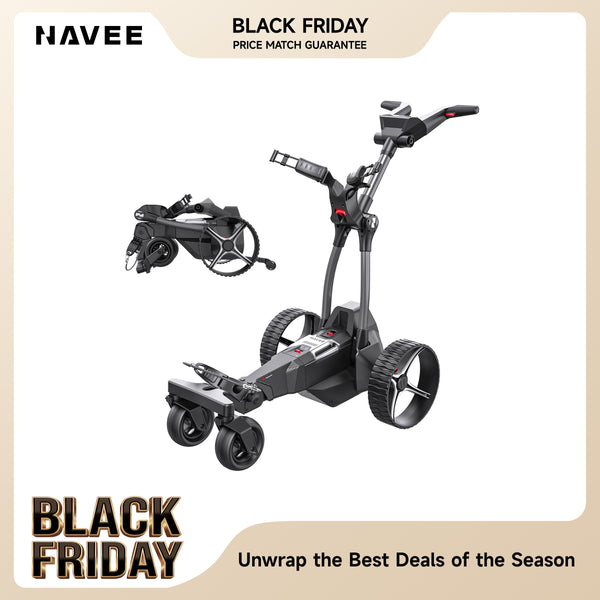
Birdie 3 and Birdie 3X both provide remote operation with nine speed settings, downhill control, and electric power assistance. Birdie 3X adds UWB-based automatic following; Birdie 3 does not include follow mode.
Birdie 3: Remote Control
The Birdie 3 remote control golf push cart fits golfers who prefer to direct the cart themselves. Nine speed settings help match its pace to your walking speed, while remote and dashboard controls provide access to operation.
Downhill control is relevant for courses with descents, where managing speed matters as much as climbing ability. It does not replace observing slope limits or selecting stable parking spots.
Choose Birdie 3 when remote steering meets your needs. The tradeoff is straightforward: you direct the cart between shots rather than having it follow automatically.
Birdie 3X: Added Auto-Follow
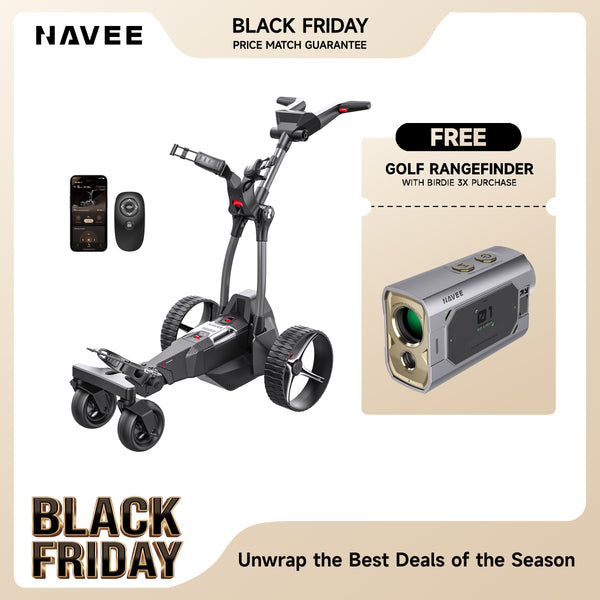
The Birdie 3X auto-follow golf push cart uses UWB tracking through a remote carried on your belt or back pocket. Remote steering remains available for routes that call for direct control.
This suits golfers who want hands-free bag transport along suitable walking routes. The added convenience comes with another operating mode to learn and monitor, particularly when approaching narrow paths or uneven ground.
Its 220Wh battery supports a rated range of up to 36 holes. Terrain, load, and operating conditions affect actual endurance, so test the available reserve before relying on one charge for a two-round competition.
Automatic following is the main reason to choose Birdie 3X over Birdie 3. For either model, secure bag fit, sufficient range, and familiar controls remain the priorities.
FAQ
Does a Walking-Only Rule Ban Electric Push Carts?
Not automatically. A requirement to walk and a policy governing motorized bag carts address different uses. Ask the tournament committee specifically about electric push carts when the event information is unclear.
Can One Charge Cover 36 Holes?
A suitable cart and battery can cover 36 holes under appropriate conditions. Actual endurance depends on terrain, load, travel distance, and battery condition. Test the setup on a comparable course before planning two competitive rounds without recharging.
What Should You Test Before a Tournament?
Complete a practice round with your normal bag and accessories. Check battery use, bag security, steering, stopping, and slope handling. Practice switching control modes where available, and rehearse folding and loading so the entire routine is familiar.
Share:
NAVEE Electric Scooters Compared: Maintenance, Repairs, and Parts